🎬 VDJ Video Sync
Browser-based Automatic BPM-synced video mixing for VirtualDJ
100% Vibe Coded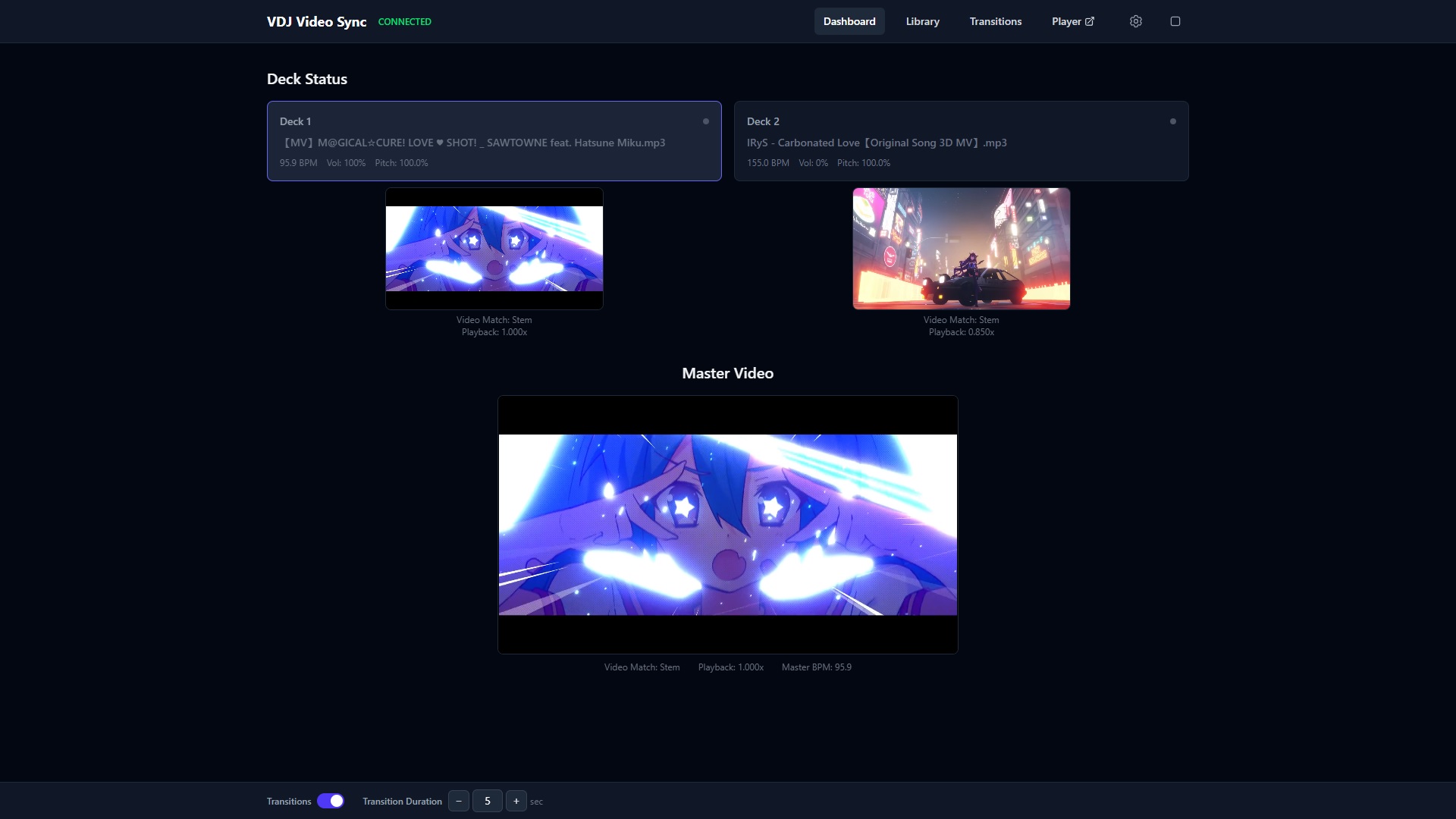
Loading version...
🔌 VirtualDJ Plugin
🖥️ Server
✨ Features
- 6-level smart video matching: exact filename, stem, fuzzy, BPM+fuzzy, BPM, random
- BPM analysis from audio
- Playback rate adjustment to sync video BPM to song BPM
- Crossfade transitions with configurable duration and CSS effects
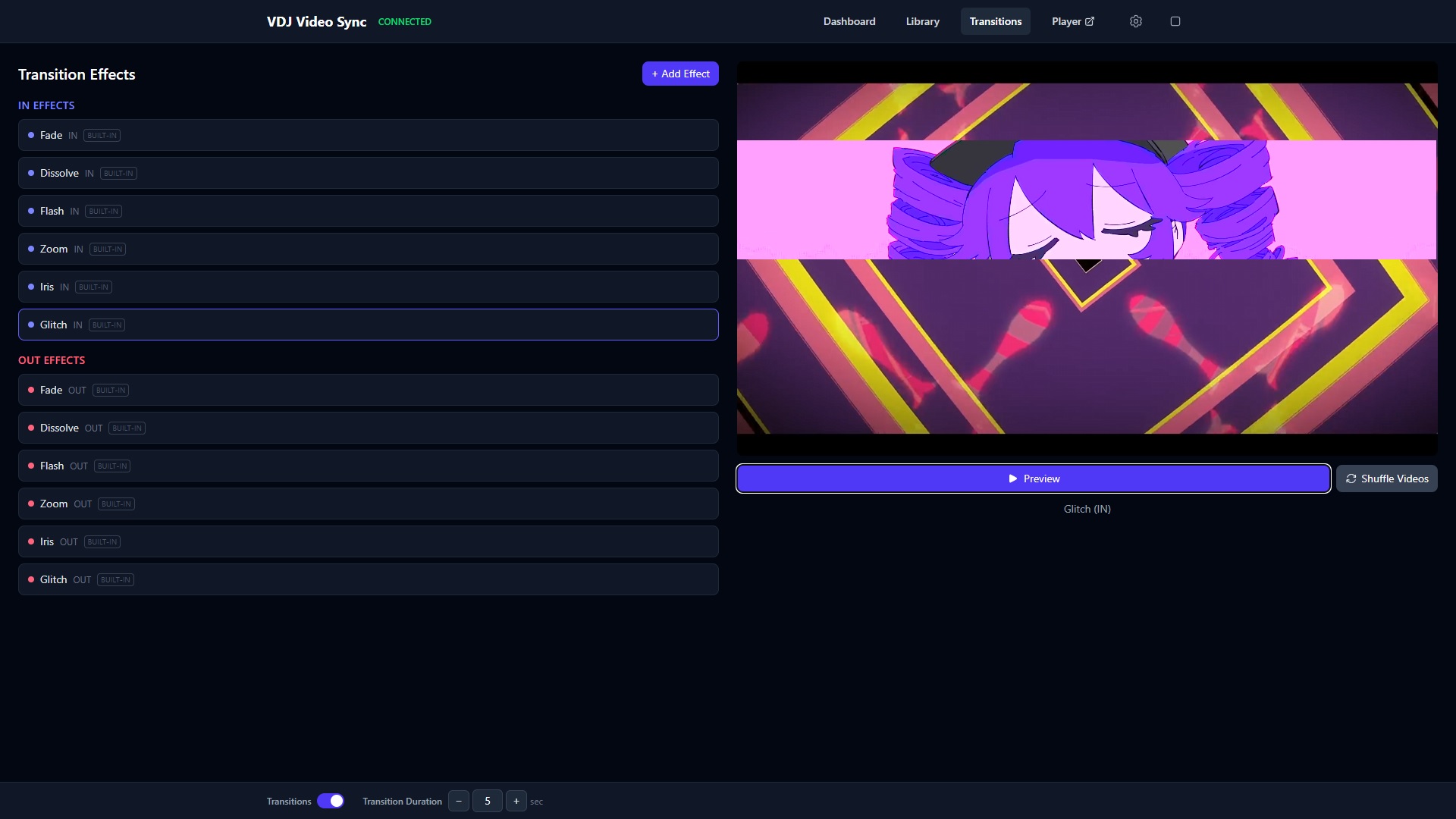
- 12 built-in transition effects (Fade, Dissolve, Flash, Zoom, Iris, Glitch) with custom effect support
- Transition videos toggle — disable video overlays while keeping CSS effects on deck switches
- Loop video mode — designate a song video to play indefinitely on top of all decks, with server-synced transitions across all clients
- Overlay system — customizable CSS/JS overlays (BPM, Song Name, Artist, Progress Bar, Custom Logo) with two z-index layers (above or behind transitions)
- Overlay elements auto-fade based on data availability and deck audibility
- Custom Logo overlay with PNG upload and default highlight sweep animation (customizable via CSS editor)
- Configurable aspect ratio (16:9, 4:3, 21:9, 1:1, 9:16) from the settings modal
- Deck status cards with Song Name – Artist and elapsed/total time
- Multi-deck support (up to 4 decks)
- Force any video to any deck from the library browser
- Transition effects management page with live preview
- Real-time updates across all browser tabs
- Standalone fullscreen player at
/playerwith overlay support - Web-based — works on any desktop device with a modern browser
🎯 Video Matching
| Level | Type | Description |
|---|---|---|
| 0 | Exact | Filename matches exactly |
| 1 | Stem | Cleaned filename stems match (no file extension) |
| 2 | Fuzzy | ≥70% name similarity |
| 3 | BPM + Fuzzy | Closest BPM among videos with ≥30% name similarity |
| 4 | BPM | Closest BPM match from all videos |
| 5 | Random | Random selection when no other match found |
📋 Requirements
- VirtualDJ 8+ (Windows or macOS)
- MP4 video files with AAC or Opus audio (YouTube downloaded videos supported)
- A modern desktop web browser (Chrome, Edge, Firefox, Safari)
⚡ Getting Started
-
Install the VDJ plugin — copy the plugin file to your VirtualDJ effects folder:
Windows:%USERPROFILE%\AppData\Local\VirtualDJ\Plugins64\SoundEffect\
macOS: copy theVdjVideoSync.bundlefolder to~/Library/Application Support/VirtualDJ/Plugins64/SoundEffect/ -
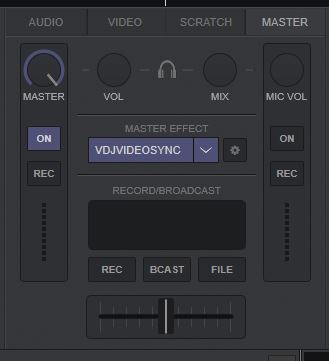
Enable the effect in VirtualDJ — open VirtualDJ, go to the Master panel, and enable the Master Effect called VdjVideoSync.
-
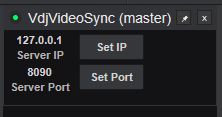
(Optional) Configure the plugin — open the ⚙ Effects Control panel to change the server IP and port. This is useful if you plan to run the server on a different computer. The change works in realtime, no need to restart the plugin or VirtualDJ.
🔥 Firewall hint: When running the server on another machine, make sure the server port (default8090) is allowed through the firewall on that machine. - Launch the server — run the server executable. Your browser will automatically open the dashboard. From there, configure where your video files and transition videos are stored using the settings panel.
- Play music in VirtualDJ — the dashboard will automatically match and sync videos to whatever is playing, with BPM-synced playback and crossfade transitions on deck switches.
💡 Tip: You can also open the dashboard from any other computer on your local network by navigating to
http://<your-ip>:8090/dashboard. Mobile devices are not supported due to video decoding performance requirements.